Common information
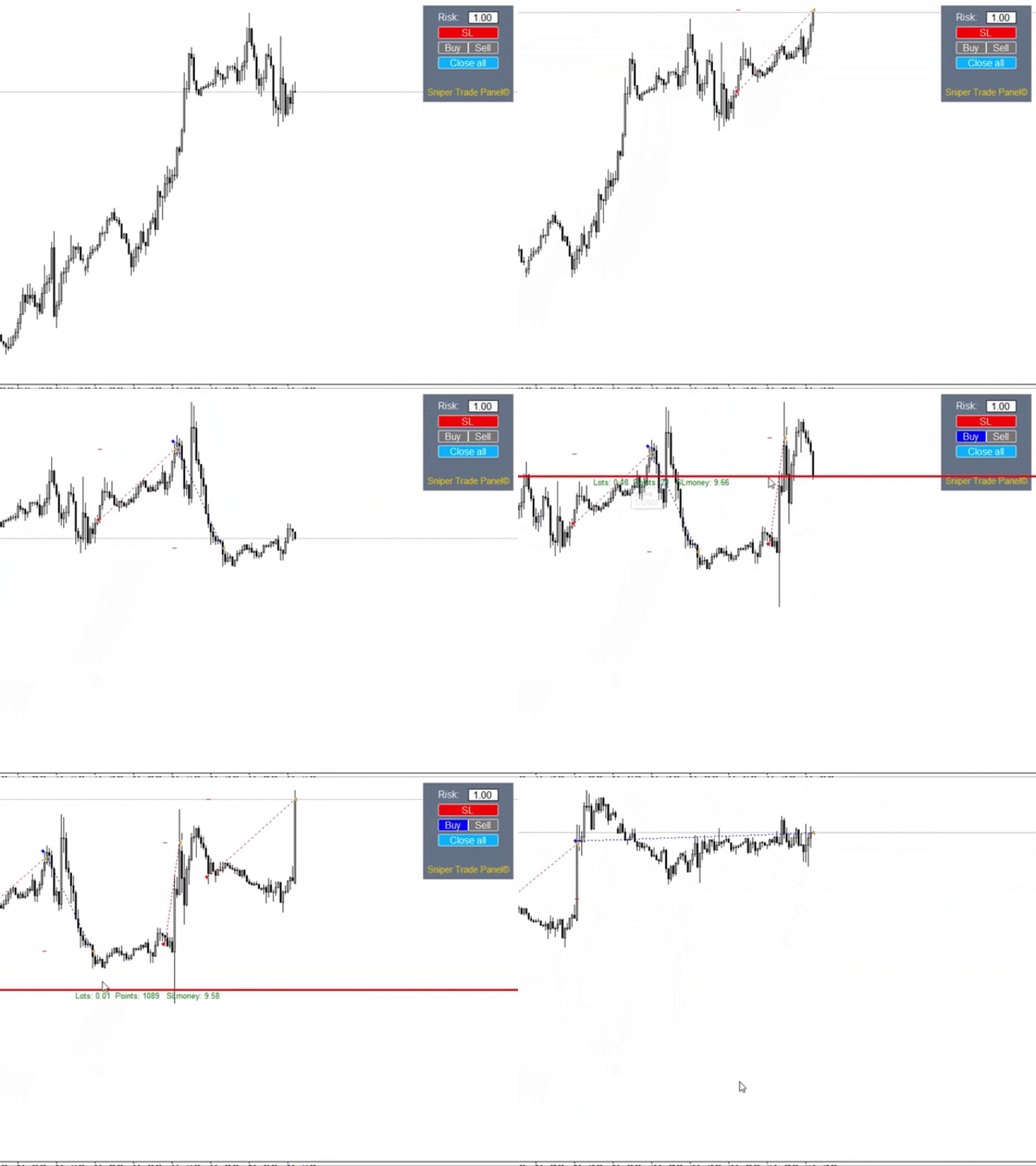
Sniper Trade Panel - panel for manual trading, which automatically calculates the volume of an order depending on the stop loss value and the specified risk.
How it works
- On the panel we set the risk value (%);
- Press the "SL" (Stoploss) button, a line appears on the chart (which shows where the stop loss of the new order will be);
- We move this line to the level where our future stop loss will be located (below the price level for the buy order, above the price level for the sell order);
- The panel automatically calculates the volume of the future order depending on the specified risk value and on the level of the future stop loss (line "SL");
- Open order by clicking "Buy" or "Sell";
- The order will be closed automatically, or manually with the "Close all" button.
Panel buttons
SL - the stop loss line of the future order will appear (or hide) on the chart;
Buy - open a buy-order;
Sell - open a sell-order;
Close all - close all orders on the current chart.
Input parameters
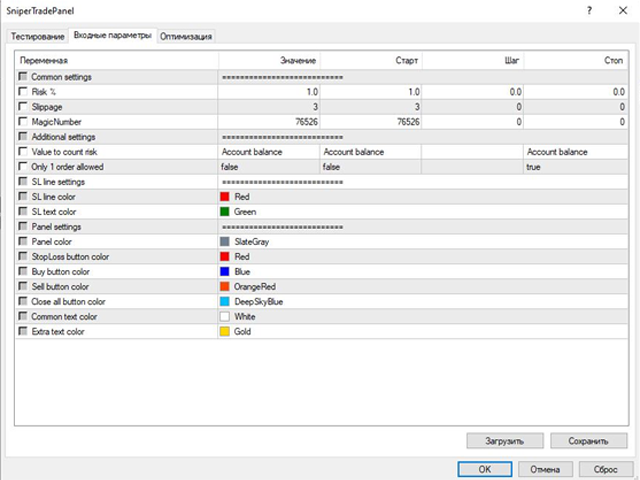
Common settings
Risk % - risk per trade (%)
Slippage - slippage
MagicNumber - magic numberAdditional settings
Value to count risk - what the risk is calculated from (Account Balance / Account equity)
Only 1 order allowed - the panel allows only 1 order to be opened using the stop loss function (true / false)SL line settings
SL line color - SL line color
SL text color - color of the information text under the SL line
Panel settings
Panel color - panel color
StopLoss button color - "SL" button color
Buy button color - "Buy" button color
Sell button color - "Sell" button color
Close all button color - "Close all" button color
Common text color - main text color
Extra text color - additional text color