Attention! The EA’s work in the tester does not display its work in real time. Strategy Tester does not allow trading all 9 pairs at the same time!To check in a live market, you can download the full version for a demo account on my profile page https://www.mql5.com/en/users/mforex.pro
Be sure to use the set file setup after purchase! The default settings are not suitable for work in a live market!
https://c.mql5.com/31/380/MiEA_6.set
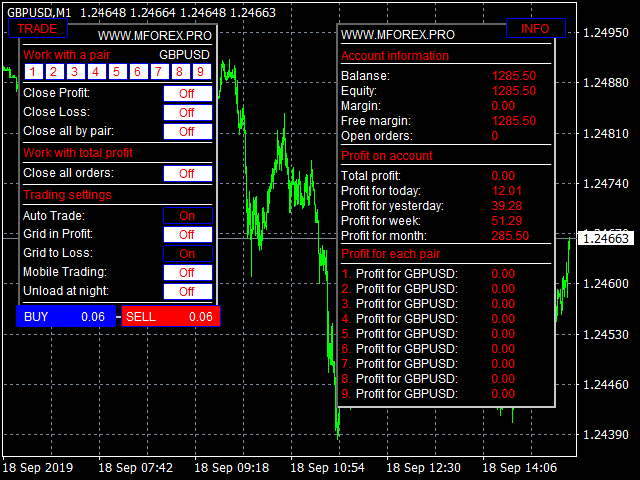
MiEA (My Invest EA) is a multicurrency adviser that simultaneously controls 9 pairs from one window. It has a wide selection of settings, as well as a trading panel for manual work, or to adjust the work if necessary.
What's New in Version 6.0:
First of all, the algorithm for entering and tracking orders was changed, as well as the principle of profit taking. In version 6.0, the adviser works as a scalper, not frequent orders, short targets, the most accurate entries. Profit is now calculated based on the number of open lots, and not the number of pairs as it was before. Earlier versions of the version accumulated a lot of orders, this was the main problem, version 6.0 does not accumulate a lot of orders, so now you can increase the risk, and the minimum deposit has decreased. Version 6.0 is able to work with quotes 4 sign, which previous versions could not, but for this you need to make changes to the settings.
Installation:
The EA is installed in only one window of the EURUSD timeframe M1. For stable operation, you need a deposit of $ 500 (preferably from $ 1,000) and a leverage of 1: 500. If you have different pair names, change them in the settings. Look for a description of all the panel features on my profile page mql5 https://www.mql5.com/en/users/mforex.pro
Description of parameters:
Languale …………………………… Selecting the language in which the panels will be displayedRisk ………………………………………… Risk as a percentage of the balance of the orderStopLossProcent ……………… Stop as a percentage of the balanceTimeFrame ..... ……………… The time frame from which EA takes the signalPipsStep ..................... How many times more we apply a candlepEURUSD ………………………… The name of the pair. Write as displayed in the terminalpEURUSD_Step ……………. Step between orders for the gridpGBPUSD ………………………… The name of the pair. Write as displayed in the terminalpGBPUSD_Step ……………. Step between orders for the gridpAUDUSD ……………………… ..Name of the pair. Write as displayed in the terminalpAUDUSD_Step …………… Step between orders for the gridpNZDUSD ……………………… ..Name of the pair. Write as displayed in the terminalpNZDUSD_Step …………… Step between orders for the gridpUSDJPY ………………………… The name of the pair. Write as displayed in the terminalpUSDJPY_Step ……………. Step between orders for the gridpUSDCAD ……………………… ..Name of the pair. Write as displayed in the terminalpUSDCAD_Step …………… Step between orders for the gridpUSDCHF ……………………… ..Name of the pair. Write as displayed in the terminalpUSDCHF_Step …………… Step between orders for the gridpEURJPY ……………………… ..Name of the pair. Write as displayed in the terminalpEURJPY_Step …………… Step between orders for the gridpGBPJPY ……………………… ..Name of the pair. Write as displayed in the terminalpGBPJPY_Step ………… ..Step between orders for the gridMobClosPair ………………… The name of the pair for closing orders through the MT4 mobile terminalTimeStart …………………… .. Time to start work. Measured in hoursTimeEnd ………………………. End time. Measured in hoursMaxOrders …………………… The maximum number of all ordersMagic …………………………… .Advisor Order Marker