Monitoring of online trading on a DEMO account
The Idea
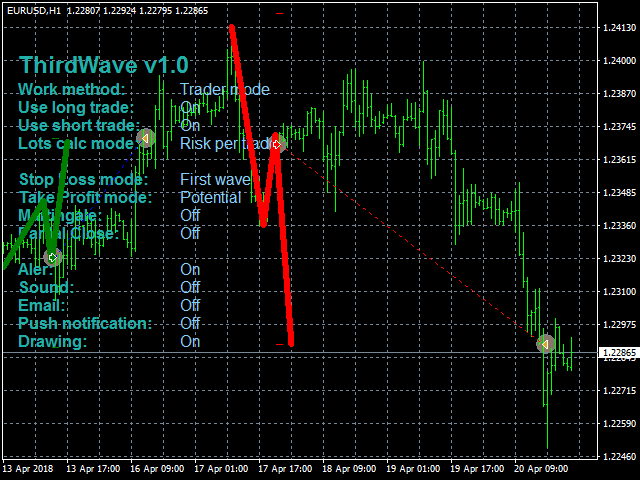
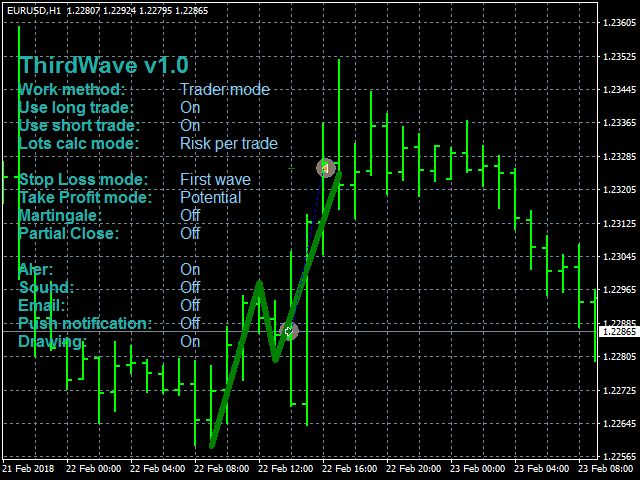
Finding the third Elliott wave. Analyze the market as a wave structure in the format of 1-2-3 waves.
Algorithm
The EA analyzes the closed bars using a simple algorithm with the ability to adjust various parameters. Reference point - touching of the High/Low of a certain bars range. After an impulse in the direction of the reference point, the EA waits for a rollback - the second wave. As soon as the second wave is formed, an entry point to the third wave appears.
Operation Modes
The EA can be used in two modes. The " Trader mode " mode is convenient for optimization of parameters in the strategy tester.
It is recommended to use the EA in the " Oracle mode " mode. In this mode, only the signals are received. The market entries can be filtered using your personal filters and experience.
Test results
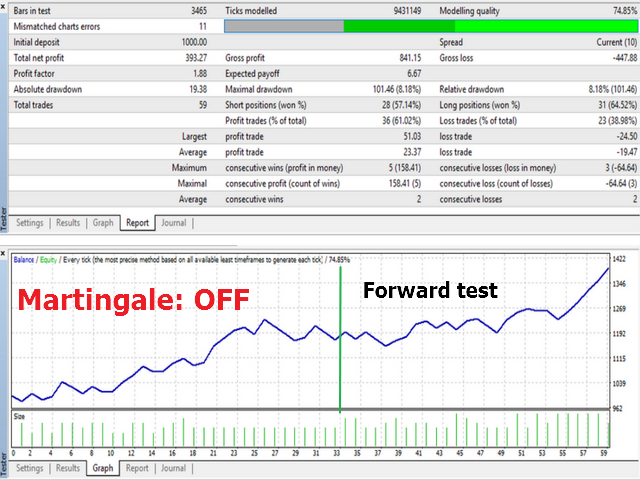
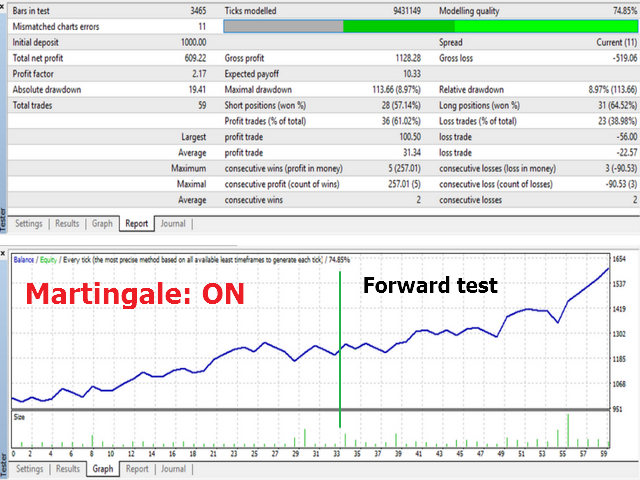
The algorithm does not eliminate the possibility to receive losing signals. Therefore, the EA requires the parameters to be selected according to your trading style and risks that you are willing to accept. The default settings have been generated for the period 27.11.2017-23.02.2018 for EURUSD H1. As a test, a forward test was run from 23.02.2018 to 23.04.2018. The forward test was run both using the Martingale algorithm and without it. You can see these testing results in the screenshots. You can also replicate this testing by downloading the demo version.
Parameters
- Work method - select the EA operation mode
- Oracle mode - only signals
- Trading mode - trading + signals
- Range reset to begin new waves finding - bars range for finding the reference point
- Entry level % - percentage of rollback from the first wave to form the second wave
- Use long trade - enable/disable long trades
- Max buy open orders - the maximum number of buy trades opened simultaneously
- Use short trade - enable/disable short trades
- Max sell open orders - the maximum number of sell trades opened simultaneously
- Close by reverse signal - enable/disable hedging
MM
- Lots calc mode - select the lot calculation mode
- Fixed lots - fixed lot
- Risk per trade - risk per trade
- Fixed Lot Size - fixed lot value
- Risk per trade % - risk per trade
- Day risk % - risk per day
- Week risk % - risk per week
- Month risk % - risk per month
If the fixed loss for a period reaches the specified value, the EA stops trading during that period.
- SL_Mode - select the StopLoss mode
- Fixed pips - fixed value in points
- First wave - start of the first wave
- SL buffer for 1st wave - SL buffer in points for the first wave
- Stop Loss fixed - StopLoss in points
- Min SL in pips - the minimum SL value fop the First wave method
- Max SL in pips - the maximum SL value fop the First wave method
TP
- TP_Mode - select the TakeProfit mode
- Fixed pips - TakeProfit in points
- Risk Reward - risk to reward ratio
- Potential - potential, predicted value
- Risk Reward value - ratio for risk/reward
- Take Profit fixed - TakeProfit in points
Martingale
- Use martingale - use the algorithm for increasing the position volume after a series of losses
- Number of losses to start martingale - the number of losing trades in a row to activate the volume increase
- Martingale ratio - multiplier for the position volume
Partial close
- Use Part Close - algorithm for partial closing of positions
- First part for closing(% of SL) - level to activate the partial closing. Calculated as a percentage of the StopLoss value
- First part of lots for closing(% of open lots) - percentage of the position volume for profit taking.
Other
- Show setting status - enable/disable displaying information on the workspace
- Drawing - draw 1-2-3 waves on the chart
- Bull labels color - color for bulling formations
- Bear labels color - color for bearish formations
- Magic_Number - magic number of the EA
- Slippage - slippage
- com - order comment
- Font Size - font size on the workspace
- Font Text Color - color of parameters on the screen
- Font Value Color - color of values on the screen
Note! Testing results and past profit DO NOT guarantee future profits .
Have a nice trend and a profitable third wave!
Best regards,
Sergey Mikhalchuk